🧾 Integrations in ATA
ATA provides multiple third-party integrations that allow you to bring in data from various sources. These integrations can help streamline workflows by connecting ATA to external services, enabling features like API Governance, Deployment, and API Monitoring.
This documentation will guide you through the different integrations available in ATA, how to configure them, and why they are beneficial for your team.
🔹 AWS API Gateway Integration
AWS API Gateway Integration allows you to streamline your API deployment and governance processes. With this integration, ATA users can:
- Deploy APIs through the API Governance feature, ensuring consistency and security.
- Import API collections directly from AWS API Gateway into ATA for use in the Developer Studio and deployment purposes.
Why Use AWS API Gateway Integration?
- Govern APIs: Help maintain API standards and governance through the ATA platform.
- Efficient Deployment: Simplify the deployment process by connecting directly with AWS.
- Centralized Management: Manage API collections and deployment from a single interface.
How to Integrate AWS API Gateway:
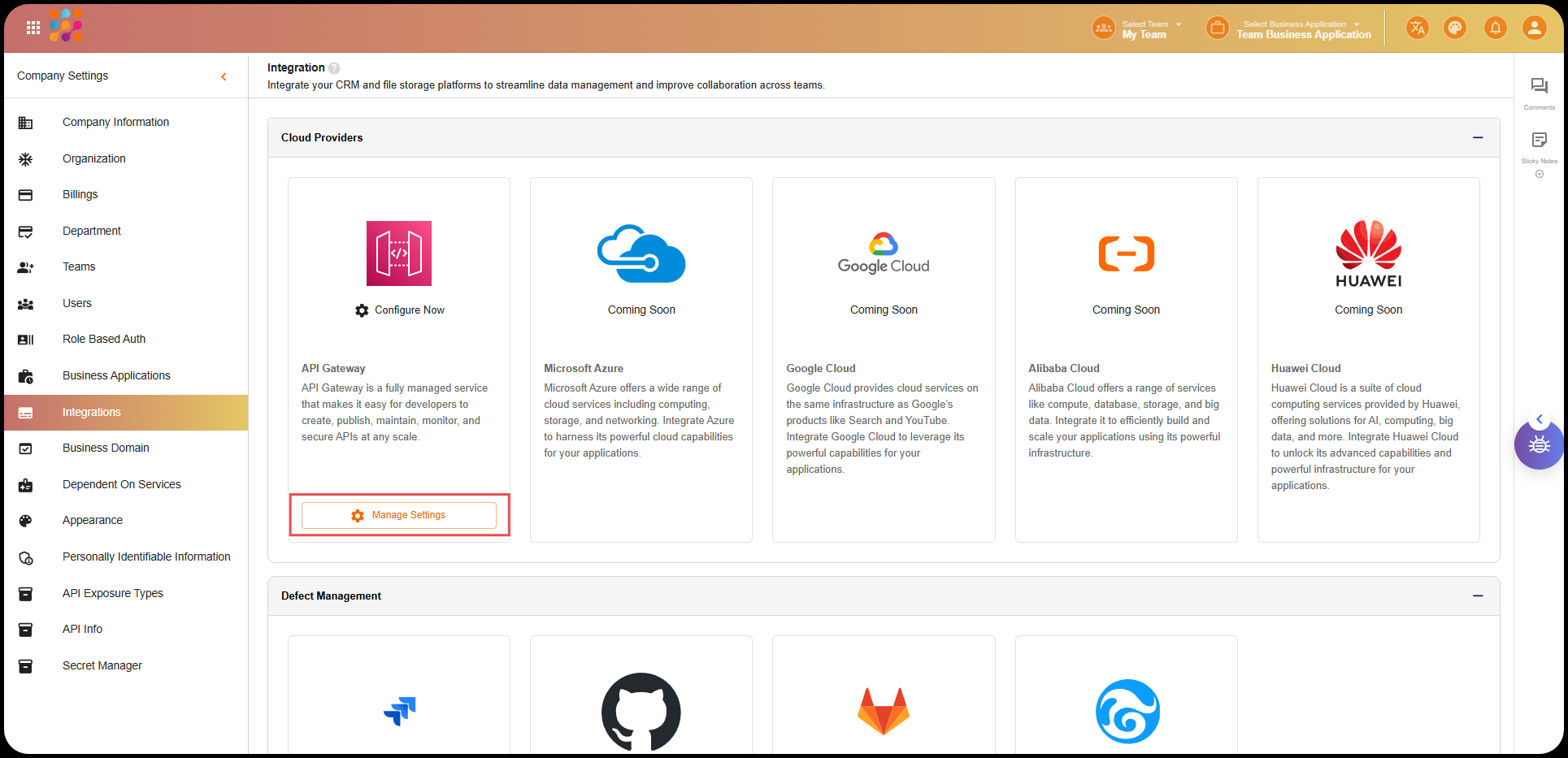
- Navigate to Company Settings in ATA.
- In the sidebar, click on Integrations.
- Click on Manage for the AWS API Gateway integration.
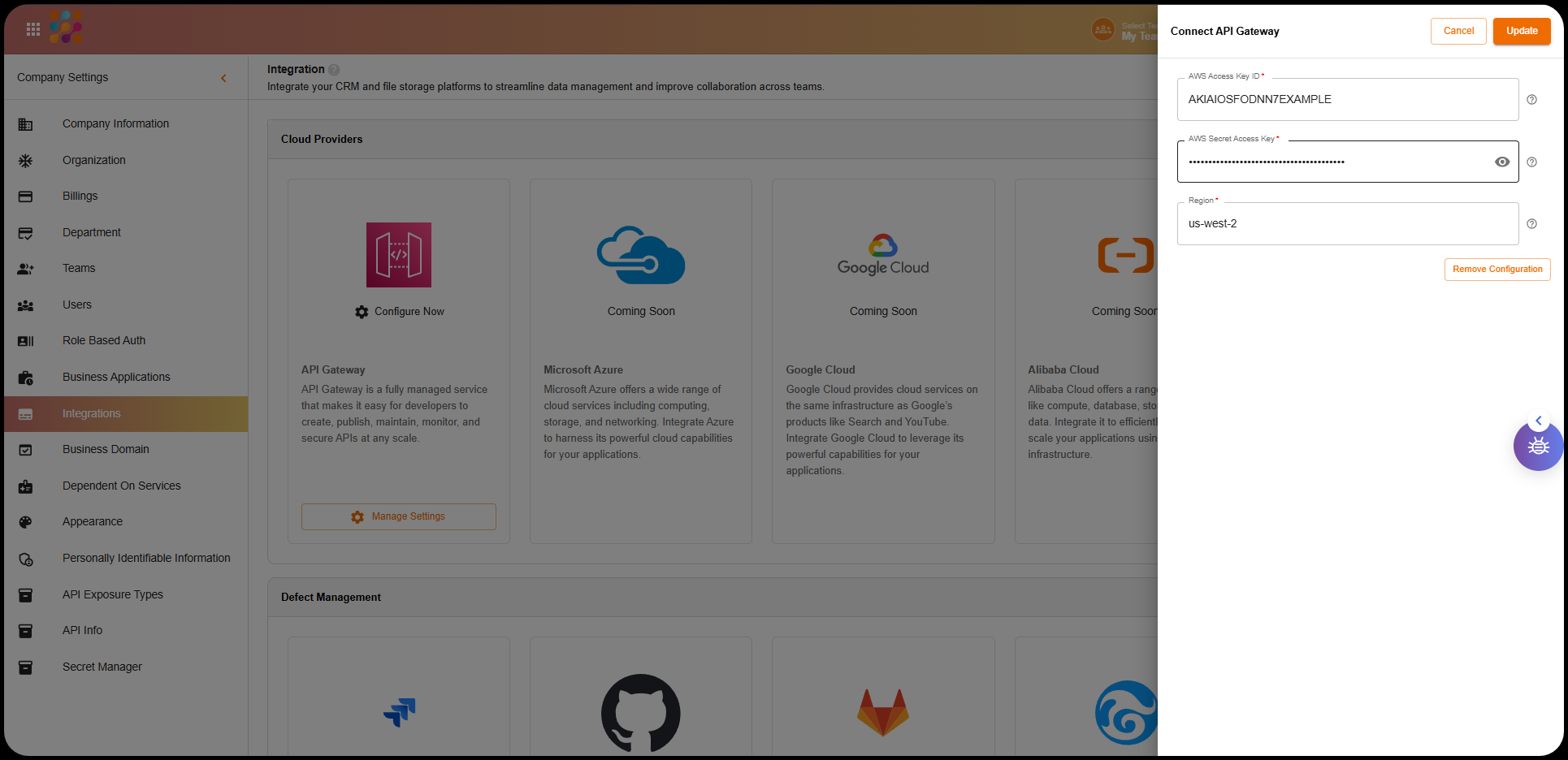
- Enter the following credentials:
- AWS Access ID
- AWS Secret Access Key
- Region
- Click Save to complete the integration.
- Once saved, click the Test Now button to ensure that the connection is successful.
🔹 Slack and Microsoft Teams Integration
ATA integrates with Slack and Microsoft Teams to provide seamless notifications for API monitoring. With these integrations, users will receive API monitoring reports directly in their Slack channels or Teams.
Why Use Slack/Teams Integration?
- Real-Time Notifications: Stay up-to-date with API monitoring alerts and reports.
- Improved Collaboration: Share real-time insights with team members via Slack or Teams.
- Enhanced Monitoring: Integrate monitoring directly into the communication tools your team already uses.
How to Integrate Slack and Teams:
- Go to Company Settings in ATA.
- In the sidebar, click Integrations.
- Click on Manage for the Slack or Teams integration.
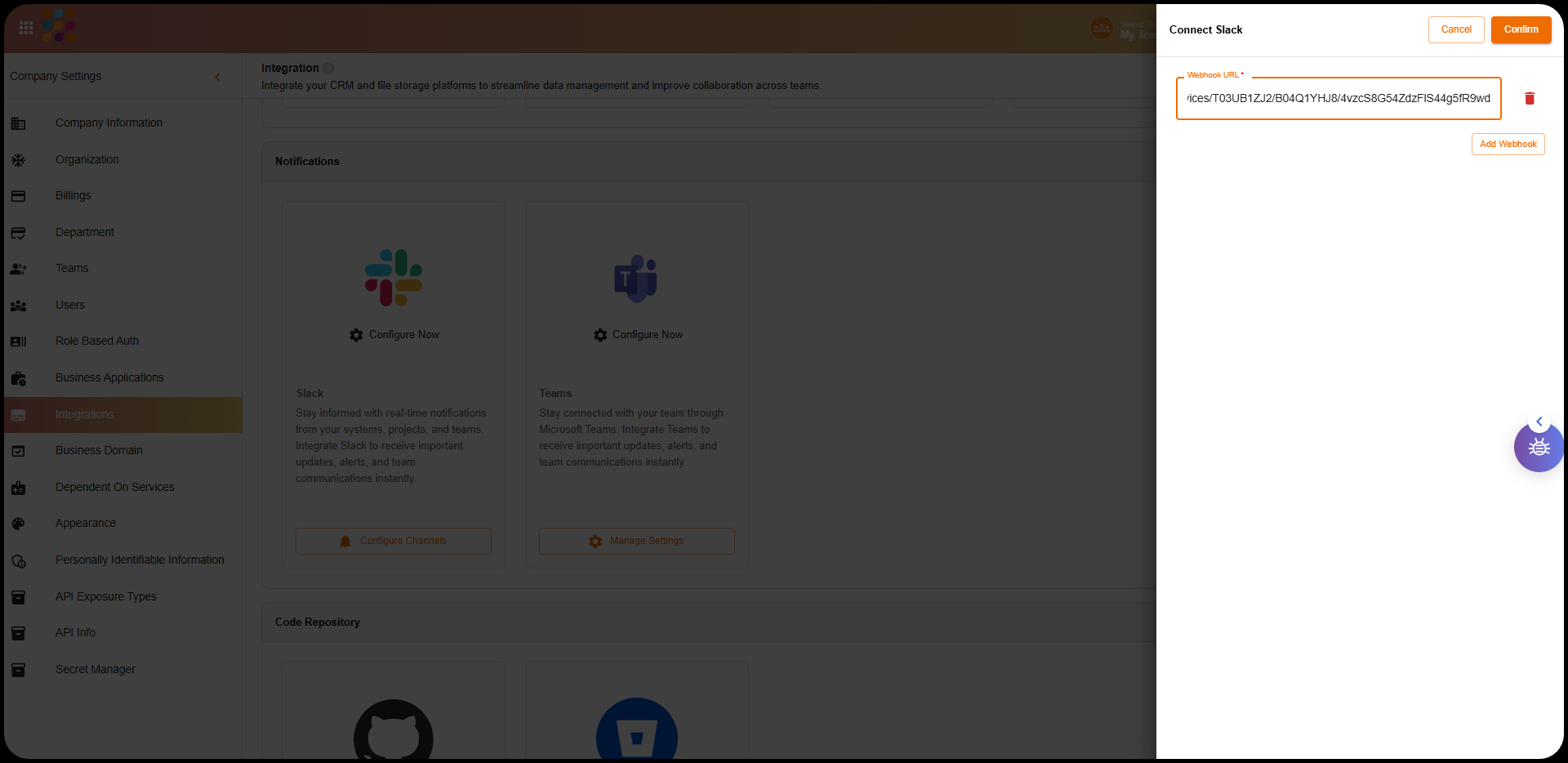
- Provide the required Webhook URL for Slack or Teams.
- Click Save to complete the integration.
- After saving, click on the Test Now button to confirm the connection works.
🔹 GitHub Integration
The GitHub Integration allows you to bring data directly from your GitHub repositories into ATA. It serves as a source for your Developer Studio and API Governance features. Additionally, you can deploy APIs directly from GitHub.
Why Use GitHub Integration?
- API Governance: Use your GitHub repositories as the source for your API governance framework.
- Developer Studio: Leverage data from GitHub to build and manage APIs in Developer Studio.
- Deployment Destination: Just like AWS, GitHub can be a deployment destination for your APIs, providing flexibility in your deployment strategy.
- Import APIs: Easily fetch and import API data from GitHub into ATA.
How to Integrate GitHub:
- Go to Company Settings in ATA.
- In the sidebar, select Integrations.
- Click Manage for GitHub Integration.
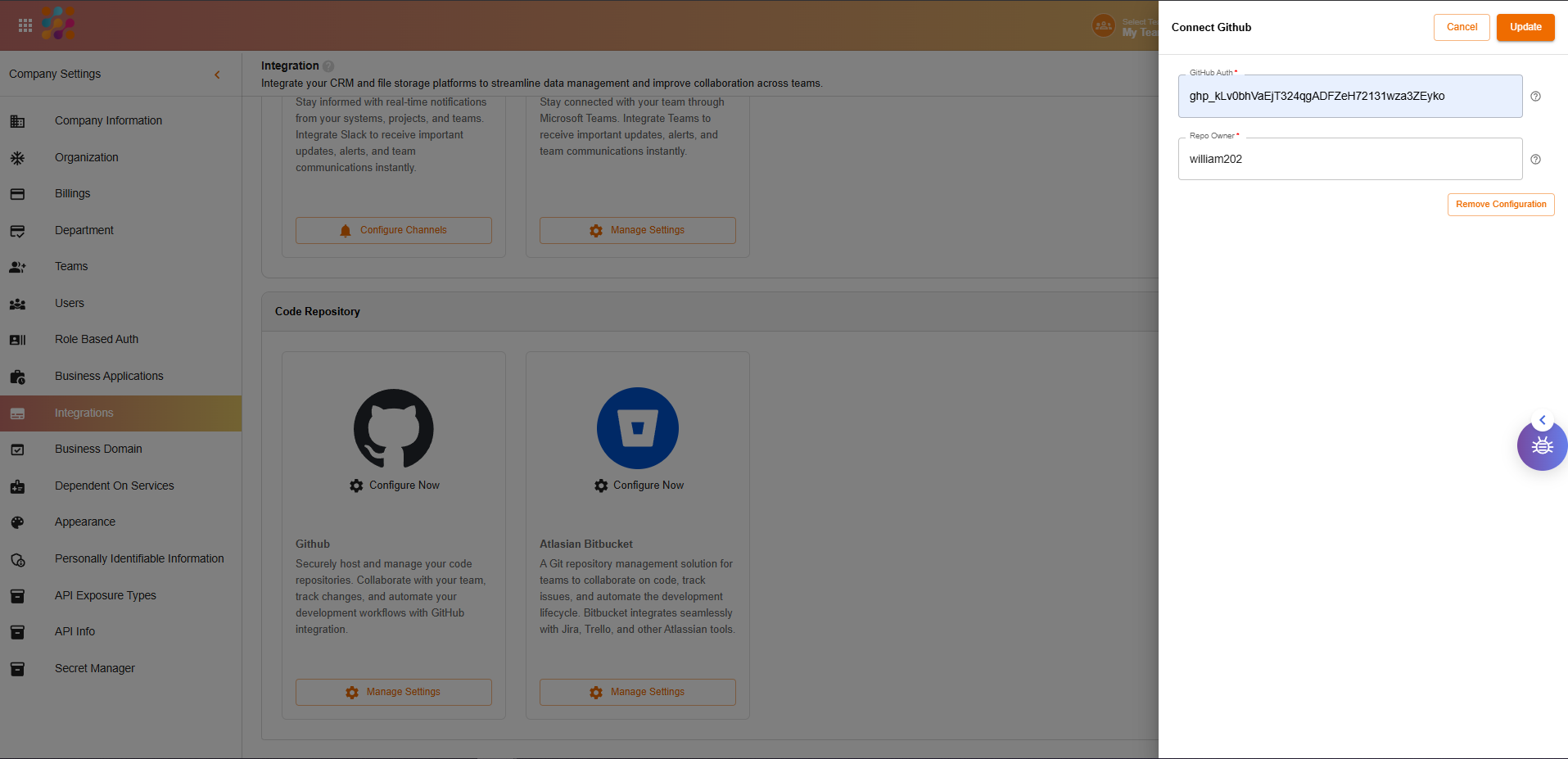
- Enter the following details:
- Auth Token: Generate an authentication token from GitHub.
- Owner Credentials: Provide GitHub owner credentials to authenticate the connection.
- Click Save to complete the integration.
- Click on the Test Now button to confirm the connection.
🔹 How to Configure a Third-Party Application in ATA
To integrate any of the third-party applications into ATA, follow these general steps:
- Go to Company Settings: Navigate to Company Settings from the ATA homepage.
- Navigate to Integrations: In the sidebar, click on Integrations.
- Click on Manage: Click the Manage button next to the integration you want to set up.
- Generate Token/Provide Credentials:
- For GitHub, provide the auth token and owner credentials.
- For Slack and Teams, provide the Webhook URL.
- For AWS API Gateway, provide the AWS Access ID, AWS Secret Access Key, and Region.
- Click Save: Save the integration settings.
- Test the Connection: Click the Test Now button to ensure the connection is working properly.
🔹 Key Benefits of Using Integrations in ATA
- Seamless Workflow: By integrating external services like GitHub, Slack, AWS, and Teams, you centralize your workflow, making it easier to manage everything from one platform.
- Improved Communication: Slack and Teams integration ensures that your team is always notified about important API monitoring events.
- Efficient API Management: Integration with AWS API Gateway and GitHub allows you to import and deploy APIs efficiently, streamlining development and governance.
- Enhanced Collaboration: With integrations like Slack and Teams, your team can collaborate more effectively by sharing insights in real-time.
Summary
ATA’s third-party integrations provide powerful features for enhancing your API management, deployment, and collaboration. Whether you need to manage APIs via AWS API Gateway, monitor them with Slack/Teams, or streamline your development process with GitHub, ATA ensures seamless connectivity across these platforms.
Follow the simple integration steps to bring in data from these third-party services, automate workflows, and improve team communication.