PII Configuration Documentation
Overview
In ATA, Personally Identifiable Information (PII) is tracked and managed using a structured process that allows users to add and organize sensitive information. PII tags are used to categorize and associate specific types of sensitive information, while the PII configuration ensures that proper access controls and classifications are applied.
Key Features
- PII Tags: Tags are created to identify and categorize specific types of personal data, such as health information, financial data, and sensitive personal data.
- PII Configuration: After creating PII tags, users can configure them for different categories (such as high, moderate, or low sensitivity) and add relevant descriptions and associations.
Creating PII Tags
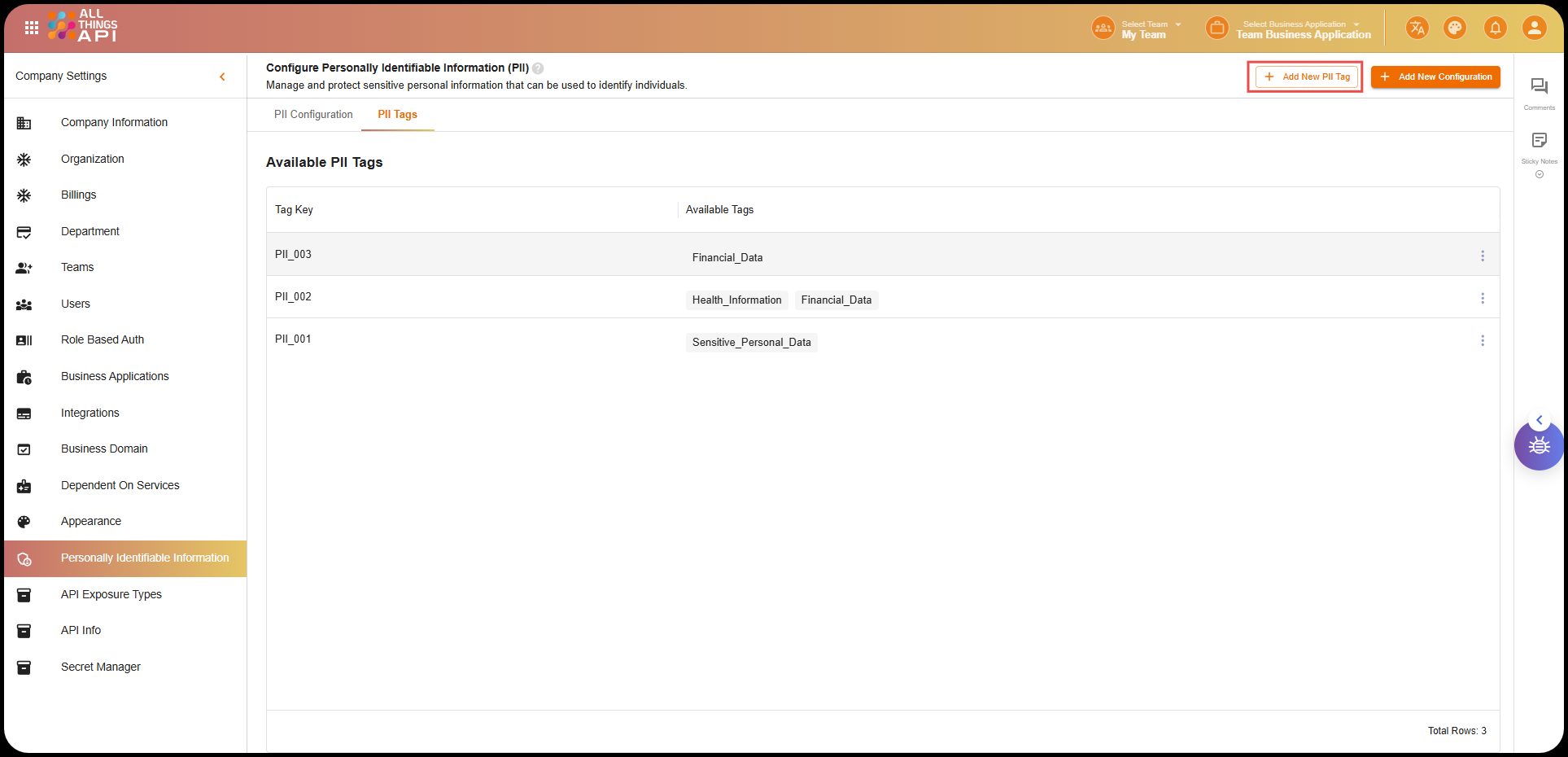
To track and manage sensitive information, users can create PII Tags by following these steps:
1. Navigate to the “PII Tags” Section:
- Go to the Personally Identifiable Information section in the left menu.
- Click on the Add New PII Tag button.
2. Add the PII Tag:
- Enter a PII Key (e.g.,
PII_001). - Enter the PII Tag name (e.g.,
Sensitive_Personal_Data).
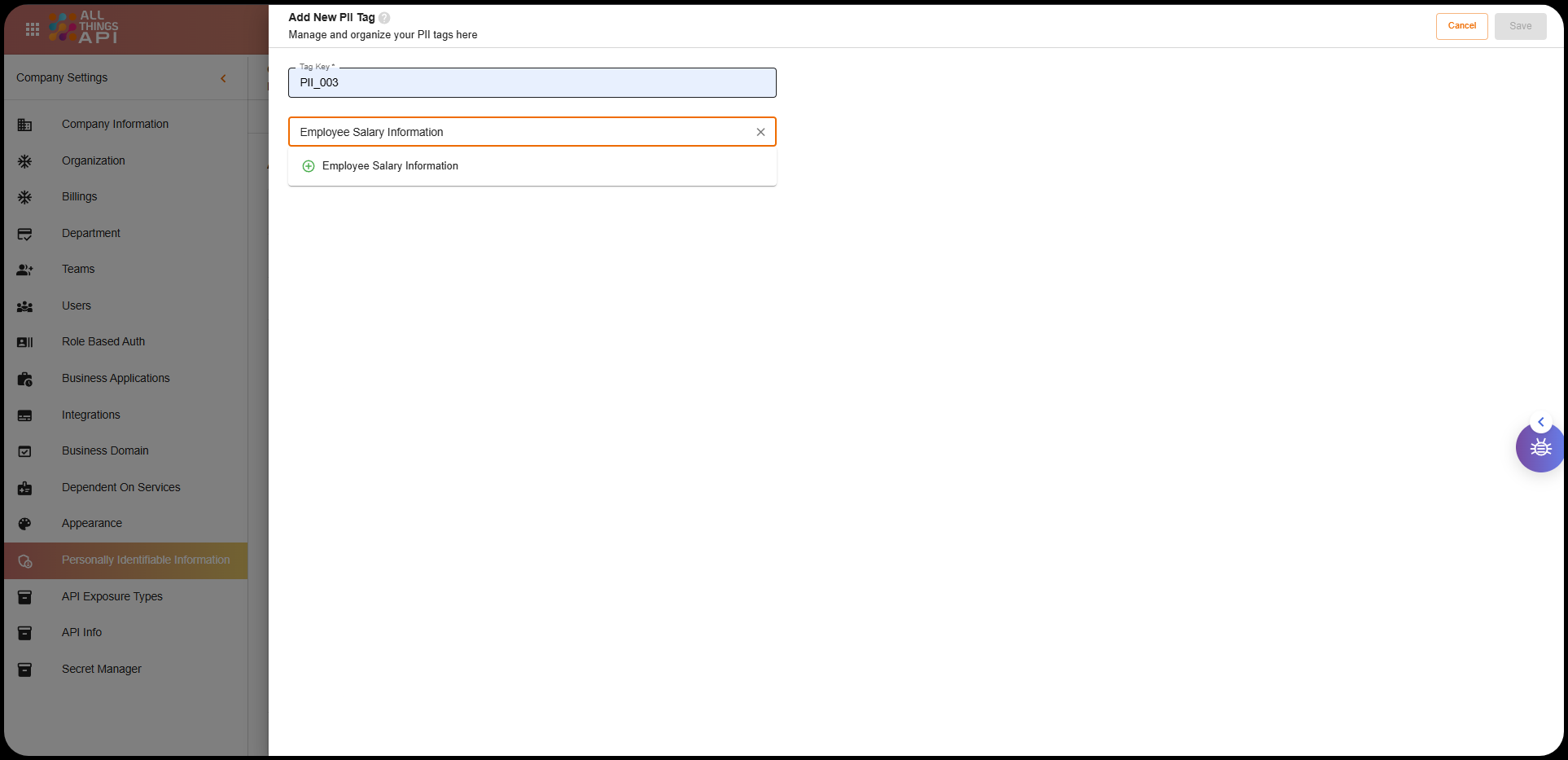
After this, the PII Tag is created.
Example PII Tags:
- PII Key:
PII_001, Tag:Sensitive_Personal_Data - PII Key:
PII_002, Tag:Health_Information - PII Key:
PII_003, Tag:Financial_Data
Adding New PII Configuration
Once PII tags are created, the next step is to configure them under specific PII Configurations. This allows you to manage the different levels of sensitivity for the data and associate the relevant tags to each configuration.
Steps to Add New PII Configuration:
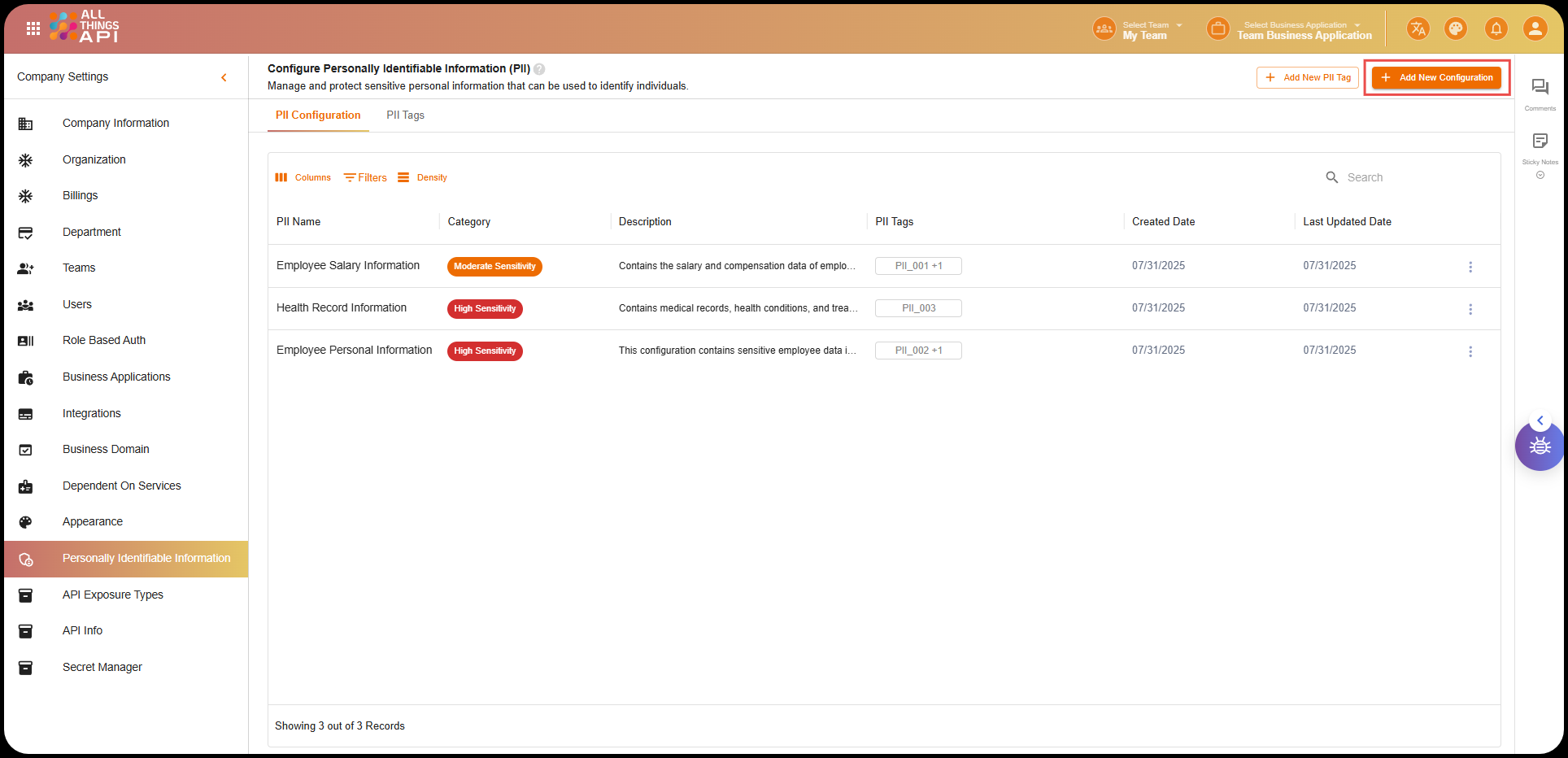
- Click on “Add New Configuration”:
- Navigate to the PII Configuration section.
- Click on the Add New Configuration button.
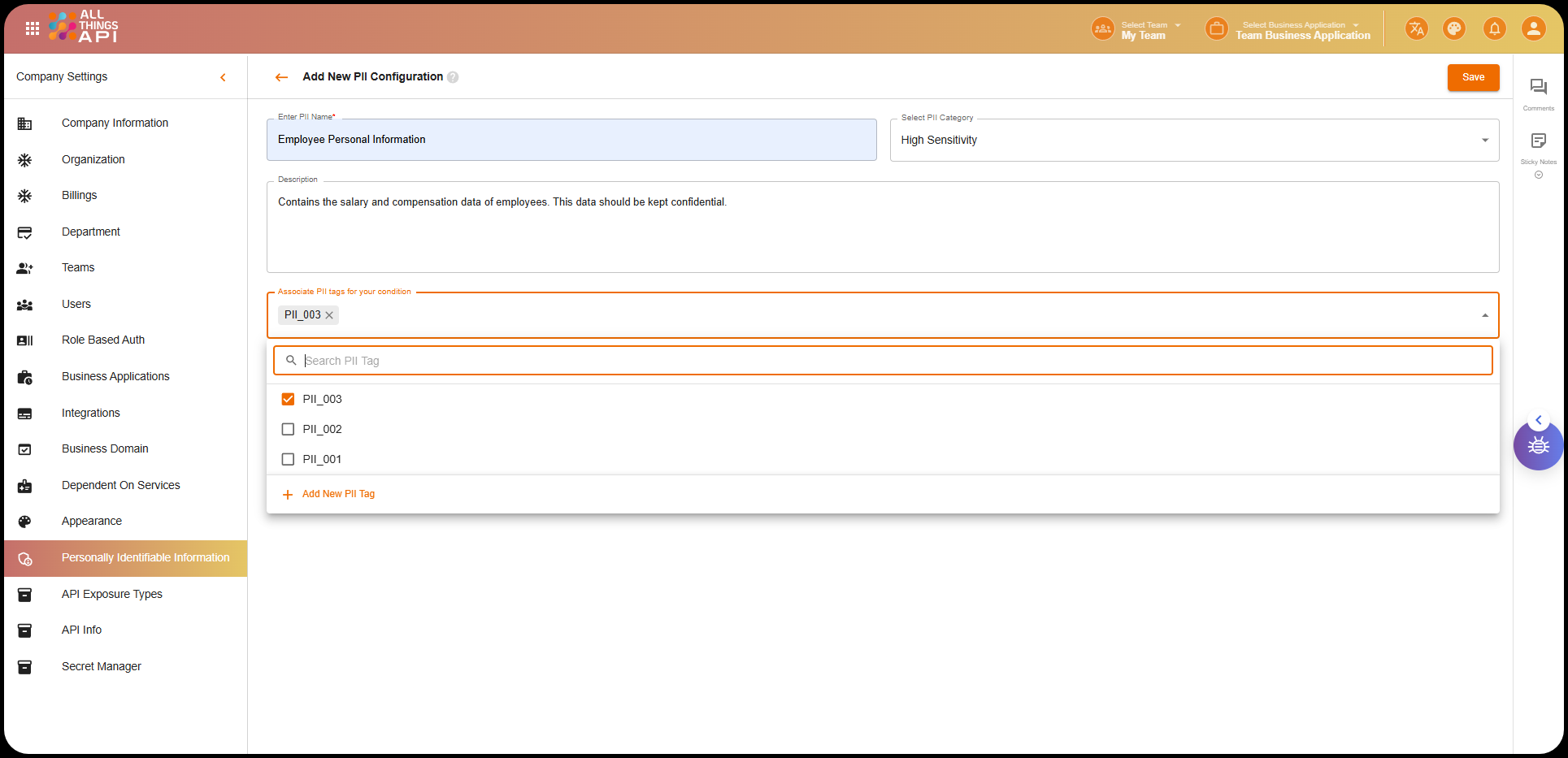
- Enter PII Configuration Details:
- PII Name: Enter a descriptive name for the PII configuration (e.g.,
Employee Salary Information). - Select PII Category: Choose a category from the dropdown:
High SensitivityModerate SensitivityLow Sensitivity
- Description: Provide a detailed description of the PII configuration (e.g.,
Contains salary and compensation data of employees. This data should be kept confidential.).
- PII Name: Enter a descriptive name for the PII configuration (e.g.,
- Associate PII Tags:
- In the “Associate PII tags for your condition” section, select the PII tags created earlier.
- You can associate multiple tags to the configuration by searching and selecting them.
- Save the Configuration:Example PII Configuration:
- After filling out the required fields and selecting the relevant tags, click the Save button to finalize the configuration.
- PII Name:
Employee Salary Information - PII Category:
Moderate Sensitivity - Description:
Contains salary and compensation data of employees. This data should be kept confidential. - Associated PII Tags:
PII_001(Sensitive_Personal_Data)PII_003(Financial_Data)
Managing PII Configuration List
Once configurations are created, they appear in the PII Configuration List section. This allows you to view, manage, and update configurations as needed.
Example PII Configuration List:
Viewing and Managing PII Tags
You can view all available PII tags and their associated keys in the PII Tags section. This allows you to see which tags are available for association with your PII configurations.
Example Available PII Tags:
Screenshot Example:

Key Considerations
- Tag Management: PII tags help in categorizing and associating specific data to the configurations. Proper tag creation and association are critical for maintaining data integrity and security.
- Sensitive Data Handling: Ensure that only authorized users have access to high-sensitivity PII configurations.
- Description Clarity: Provide clear descriptions to help users understand the sensitivity and access controls associated with each configuration.
This documentation helps guide the user through the process of managing and configuring PII data in ATA while ensuring the proper access control measures are in place.